

The Universal Installer won't connect to the FlyTampa Server.
MSFS P3Dv4 P3Dv5 X-Plane
The Universal Installer was designed to ensure that you are always installing the latest
version of our Addons. In order to do so it connects to our Server using
your Internet connection. Most AntiVirus/Security programs will consider this network activity
suspicious and block or quarantine our Installer. You must unblock or whitelist
the Universal Installer within your AntiVirus program in order for it to work.
To find out how to do so, please consult the Manual/Help of your Antivirus/Security program.
If you don't have an AntiVirus program, please be aware that a Firewall Software
(or Firewall within your Router) may also be blocking the Universal Installer.
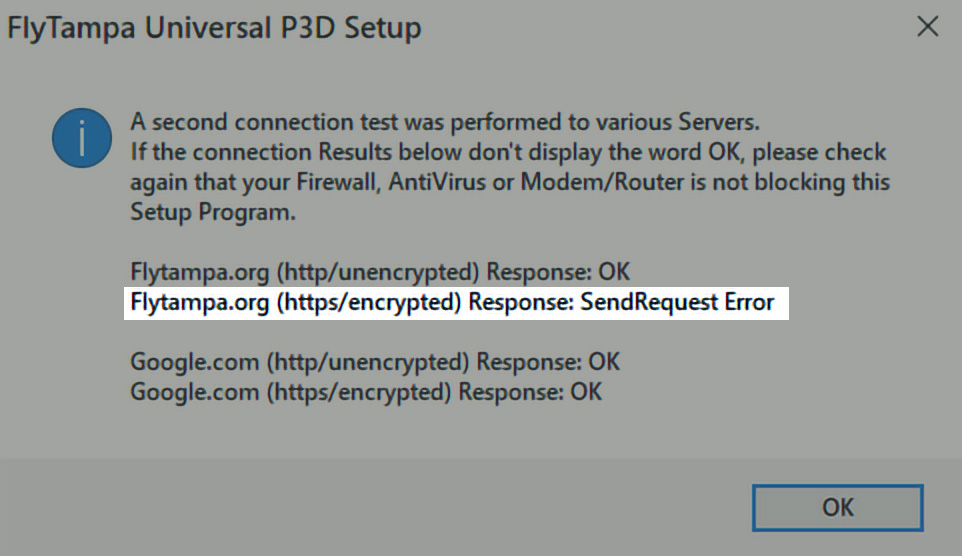
If all connection results display "OK", except Flytampa (https/encrypted) "Send Request Error",
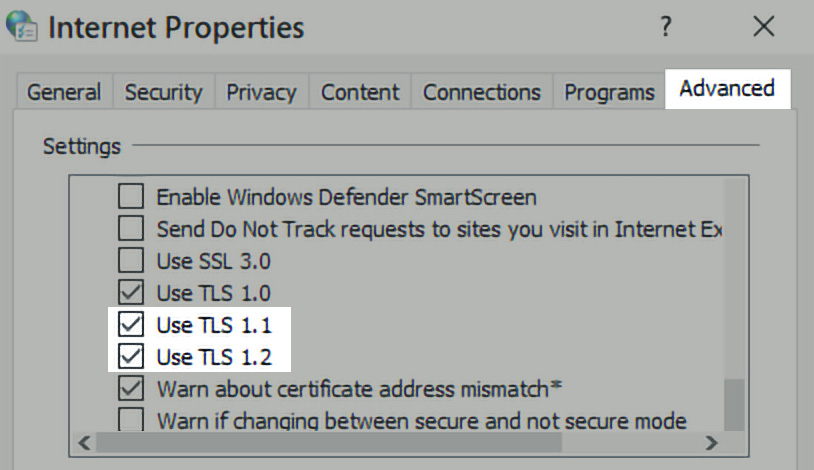
check in Windows Control Panel, Internet Options, Advanced, that TLS 1.2 is
enabled. If the download always aborts before completing, check the free space on your C:\ drive.
Even if you are installing onto a different drive, the Installer will temporarily require 2GB or
more on the Windows Temp drive, which is C:\ by default.
After installing the Addon, it still displays the default airport.
P3Dv4 P3Dv5
New Prepar3D Addons cannot be added via the traditional Scenery Library or "scenery.cfg".
Instead they must be added to Prepar3D’s new “add-ons.cfg”. To manually add these Addons,
go to the Prepar3D folder, subfolder /FlyTampa/Airport/ and run the file labeled
“Add-to-P3D.cmd”.
FS2004 FSX P3Dv3
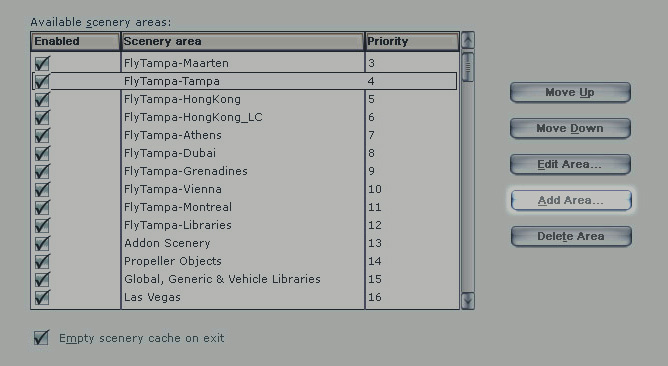
To manualy add an Addon, click SETTINGS, SCENERY-LIBRARY. There click the ADD AREA button
and choose the folder where you previously installed the Addon, usualy /FlyTampa/Airport/
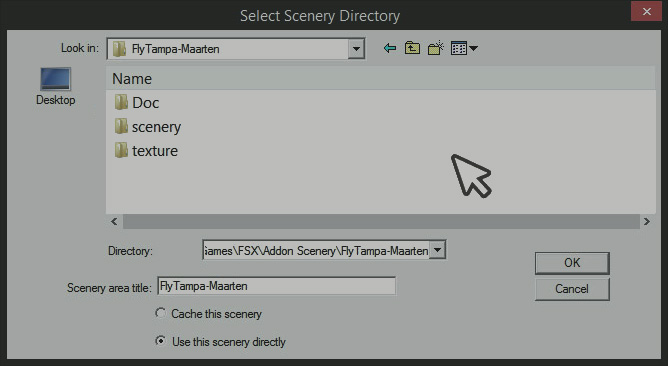
or /Addon Scenery/FlyTampa-Airport/. When doing this in FS2004 or FSX under Windows 64Bit,
you'll find the OK button within the File Browser dialog does not work. Instead of
closing the dialog, the OK button will enter the selected folder. After pressing the
OK button once, you must click within the emtpy white area of the file dialog.
Can the Addons be installed outside of the Prepar3D folder?
P3Dv3 P3Dv4 P3Dv5
Yes, however the Addons must first be installed into the main Prepar3D. To move them afterwards,
simply let the Installation complete, exit the FlyTampa-Configurator Tool in case it is running and use
Windows File Explorer to move the whole FlyTampa folder structure from \Prepar3D\FlyTampa\ to another
location. It is vital that you move the whole FlyTampa folder and not just the Airport subfolder,
otherwise the FlyTampa-Configurator Tool will no longer work. After moving you need to
re-add the entries to Prepar3D’s “add-ons.cfg” by running each /FlyTampa/Airport/ "Add-to-P3D.cmd".
Will the Addons run on DirectX 10 or 11 Graphics cards?
FSX
Yes, FSX by default runs in DirectX 9 Mode regardles of your Graphic card capabilities.
Within FSX Display Settings there is a DirectX 10 Option, but note it is labeled
"Preview Mode" because it is incomplete and has a number of problems. We recommend you leave
this DirectX 10 mode turned Off. If you wish to run FSX in DX10 mode anyway, please consider getting
Steve's DX10 Scenery Fixer,
a 3rd party Addon that will fix many known issues.
AI aircraft are inside buildings, taxi onto the grass or don't align with the runways.
FS2004 FSX P3Dv3 P3Dv4 P3Dv5
Every Airport Addon comes with its own "Afcad" file which is specifically tailored to match the Scenery.
These Afcad files define the airport layout for AI Traffic among other things. When you have multiple
Afcad files for the same airport on your system, the layout may no longer match the visual Scenery
resulting in Aircraft appearing in places they should not be. Because there is no way to
ensure that the Sim uses our Addon's Afcad, the only solution is for you to disable or delete
other conflicting Afcad files for the same airport. Please note that such Afcad files not only
get installed with Airport Addons, but are also included in some AI Addons such as MyTraffic and TrafficX.
Ground Textures do not load and the airport appears grey or white.
P3Dv3 P3Dv4 P3Dv5
This will happen if the Addon has been added to the Scenery Library using the old method (scenery.cfg).
Our new Prepar3D Addons must be added to the “add-ons.cfg” instead. Within the Scenery Library, the
items you see on top of the list that are are greyed out and cannot be moved or deleted are new "add-ons.cfg"
entries. The regular entries which can be moved and deleted are the old type (scenery.cfg).
FSX
If FSX is running in DirectX 10 Preview Mode, the airport ground may appear grey or black. You should
either disable the DirectX 10 Mode in FSX Display Settings, or consider getting
Steve's DX10 Scenery Fixer.
Are the jetways interactive or static?
FSX P3Dv3 P3Dv4 P3Dv5
In most sceneries the jetways can be attached and retracted using the CTRL+J keys. Depending on the
airport, only some jetways will be interactive while others will be static. For a list of interactive
jetways, please consult the manual. The latest Prepar3D versions also offer SODE Jetways which
have to be activated in the FlyTampa-Configurator.
What Settings are recommended to run the Addons?
P3Dv4 P3Dv5
Within the FlyTampa-Configurator Tool there are a number of options that can be turned On or Off to increase
the performance of a given Addon. Note the Options feature descriptions such as Performance impact: moderate,
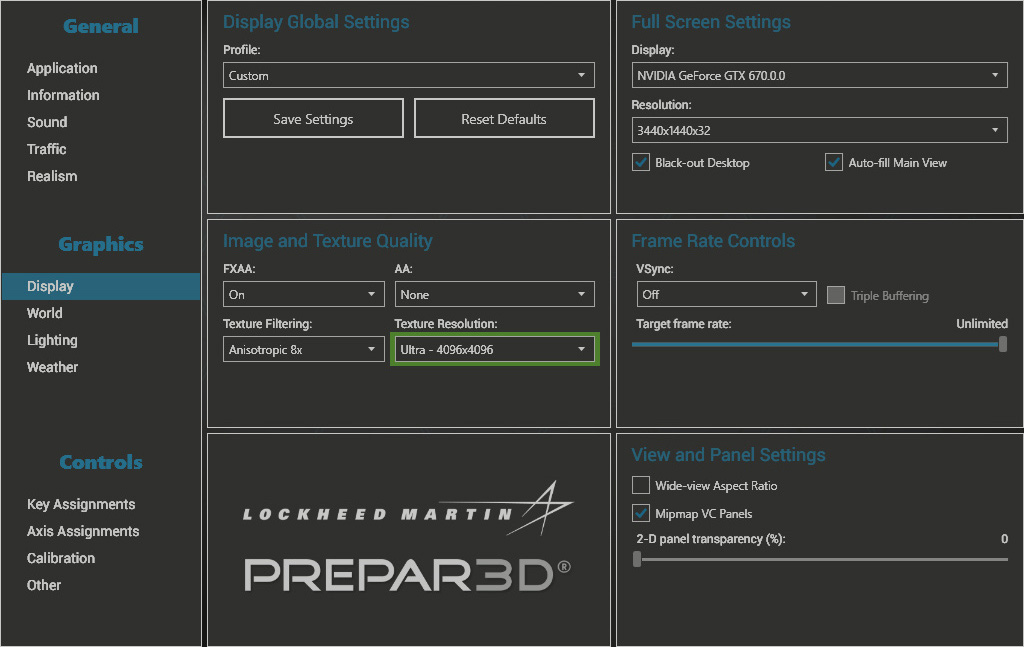
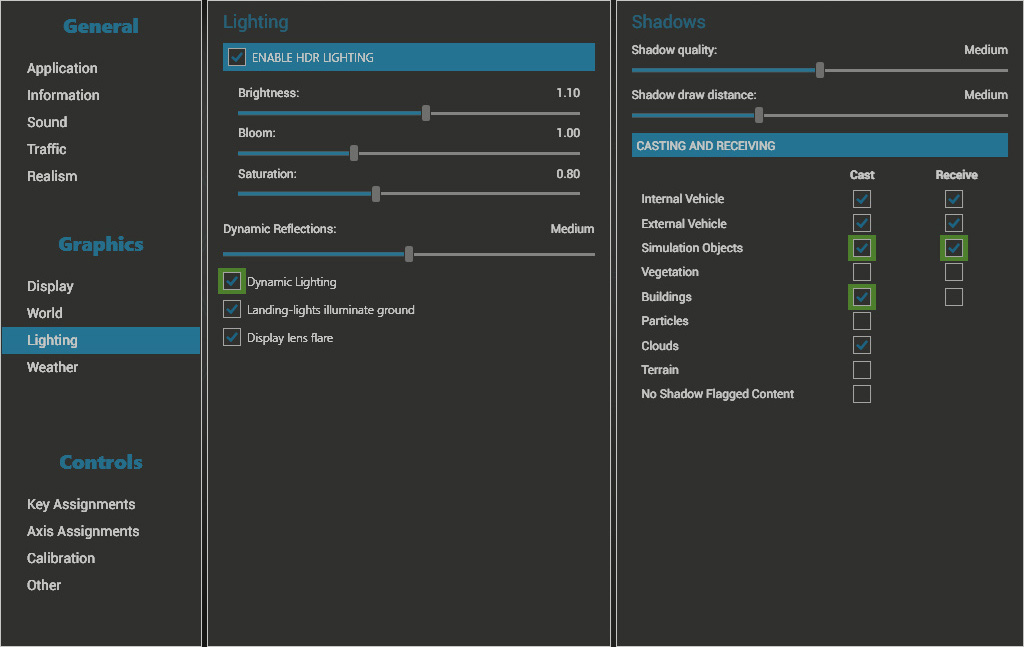
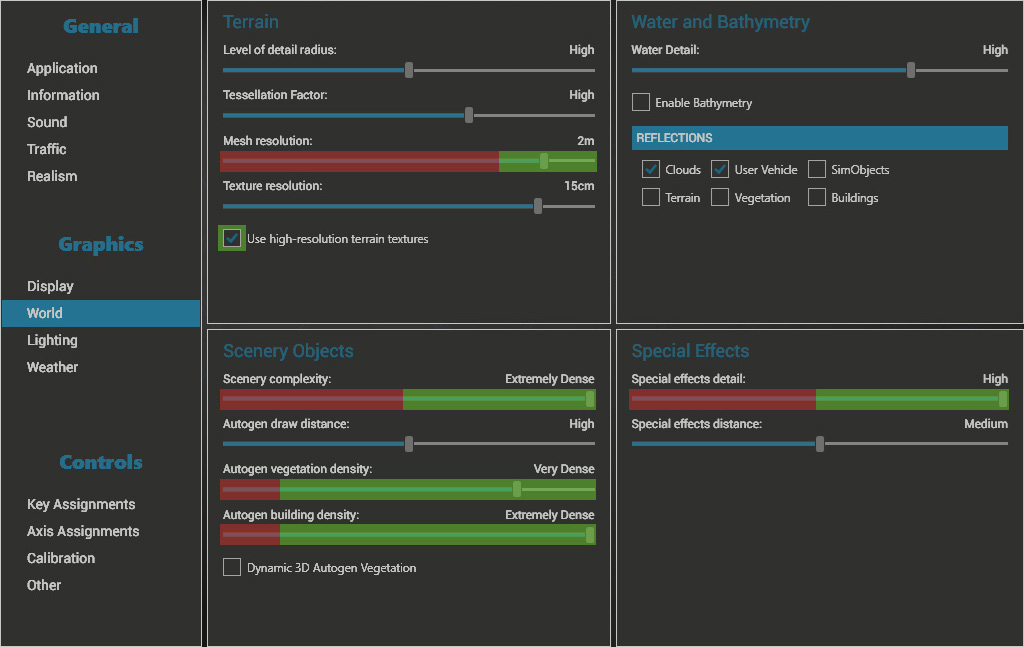
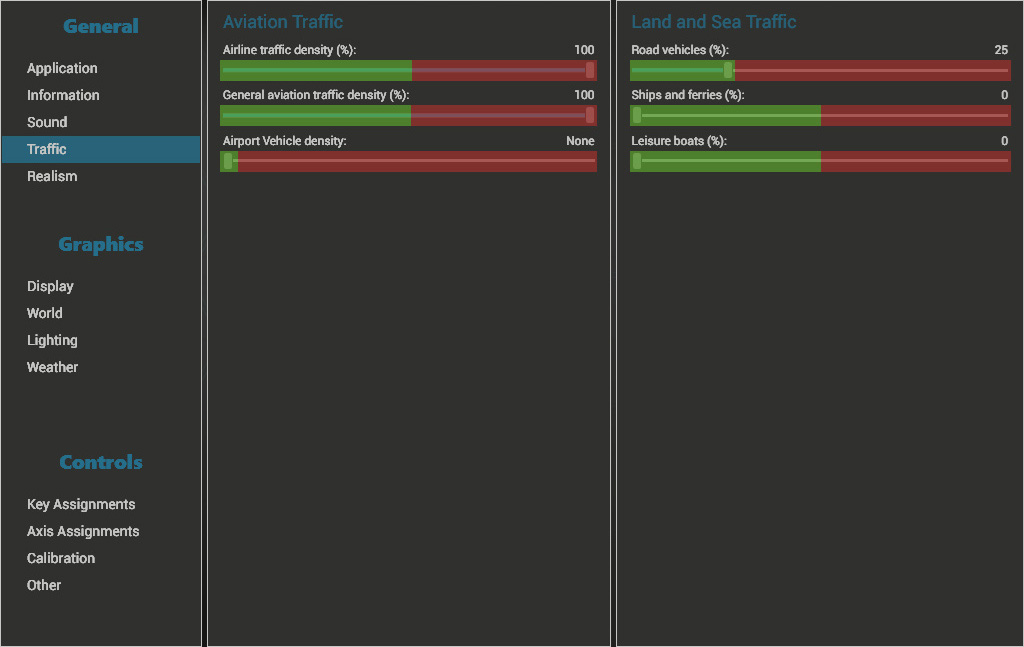
high or negligable. As a general rule, we recommend the following Prepar3D settings marked green.
Note also that we do not recommend editing the Prepar3D.cfg file, especially not to add tweaks previously
used in the FSX.cfg.
How can I uninstall the Addons?
P3Dv3 P3Dv4 P3Dv5
P3D Addons can can be uninstalled by simply deleting the respective folder /Prepar3D V4/FlyTampa/Airport/.
No entries need to be deleted from the Scenery Library, that happens automatically next time you restart Prepar3D.
FSX
Most Addons can be uninstalled by simply removing their entry from the Scenery Library and
afterwards deleting the respective folder /FlyTampa/Airport/. Some Addons may place a few
additional BGL files in default directories, such as /Scenery/World/Scenery/. Look in the PDF
manual to see if such individual files need to be deleted as well.
Why do some Addons look & feel or quality differ from others?
I lost my Installation files and/or Serial numbers, how do I obtain a replacement?
Can I get a refund?
I have a question about a specific Addon not covered here.
|